Stock counts and order packing, made easy.
Rack Scanner turns the phones your team already has into barcode scanners. Count your stock, pick and pack orders, and catch mistakes before they ship - with everything kept in sync with your Shopify store.
- Free for 7 days - cancel anytime
- No scanner hardware to buy
- Billed safely through Shopify
- Set up in about 5 minutes
One app, two workflows
Accurate stock in. Correct orders out.
The same phone your team scans shelves with also picks and packs every order - and it all syncs with Shopify.
Inventory audit
Count faster, fix stock instantly
- Single product counts, full audits and shelf-by-shelf location audits
- See Shopify stock vs. counted and the difference as you scan
- Submit and Shopify updates instantly, with conflict detection
- Bulk-update stock from a two-column CSV, or export it
Explore inventory audit
Pick & pack
Ship the right items, every time
- Only paid, unfulfilled orders that need shipping appear
- Pack one order, or batch-pick many orders in one walk
- Every item is scanned into the box - wrong items are caught
- Print packing slips straight from the phone
Explore pick & pack
Pick & pack
Fewer mistakes, faster shipping
Wrong items and missed units cost you refunds, reships and reviews. Rack Scanner checks every item before the box is closed.
Pick faster
Batch picking combines every order into one list sorted by SKU, so staff walk the warehouse once instead of once per order.
Pick accurately
Scan each product as it comes off the shelf. Rack Scanner tracks what's picked for every order and shows exactly what's left.
Avoid errors
Every item is scanned into the box. Wrong products and extra units are flagged instantly - before the parcel is sealed.
Order barcode scanning
Scan the barcode on a packing slip to open that order instantly, or resume the pick list it's already on.
Sync and batch orders
Paid orders sync from Shopify automatically. Pack one order, or select up to 50 and pick them together in one batch.
Real-time reporting
See orders to pack, orders packed today, active pick lists and time per order live in Shopify Admin - and export packed orders to CSV.
Batch · 4 orders · Step 1 of 2
Picking9 of 12 units picked
-
Organic Cotton Tee - M
TEE-ORG-M · 2 orders 3/3 ✓ -
Canvas Tote - Black
TOTE-BLK · 3 orders 4/4 ✓ -
Ceramic Mug - Sage
MUG-SAGE · 2 orders 2/4 -
Linen Napkins - Set of 4
NAP-4 · 1 order 0/1
Inventory audit
Stock counts without clipboards, spreadsheets or $600 scanners
Wrong inventory means overselling, lost sales and messy audits. Rack Scanner makes counting fast enough to do every week.
Camera scanning
Reads EAN-13, UPC-A/E, Code 128, Code 39, ITF, QR and Data Matrix with the phone camera - even in dim aisles with the flashlight.
Tap-to-count
Scan the same item again and the counter goes up. Adjust with +1 / −1, type a quantity or reset - whatever is fastest.
Straight to Shopify
Submit and Shopify inventory updates instantly, with a "cycle count" reason in the inventory history and conflict detection if stock changed mid-count.
How it works
From install to first count or order in four steps
-
01
Install the Shopify app
Add Rack Scanner from the Shopify App Store. Your products, stock, locations and orders sync automatically.
-
02
Get the mobile app
Your team installs Rack Scanner on Android or iPhone and creates an account.
-
03
Scan the QR code
In Shopify Admin open Rack Scanner → Devices and click Connect device. Staff scan the QR to link their phone for 24 hours.
-
04
Count or pack
Audit stock and update Shopify instantly - or open Orders, pick and scan-verify each order, then print the packing slip.
The mobile app
Built for the warehouse floor
Real screens from the Rack Scanner app for iPhone and Android.
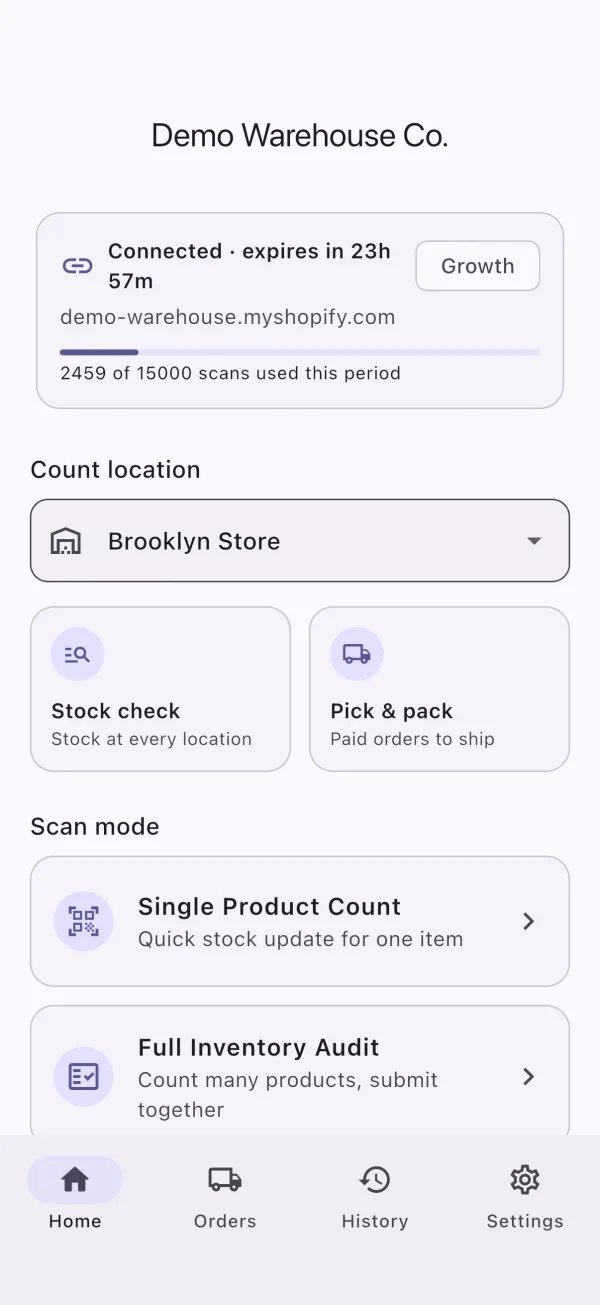
Everything in one place
Start a count, check stock or jump to orders waiting to be packed.
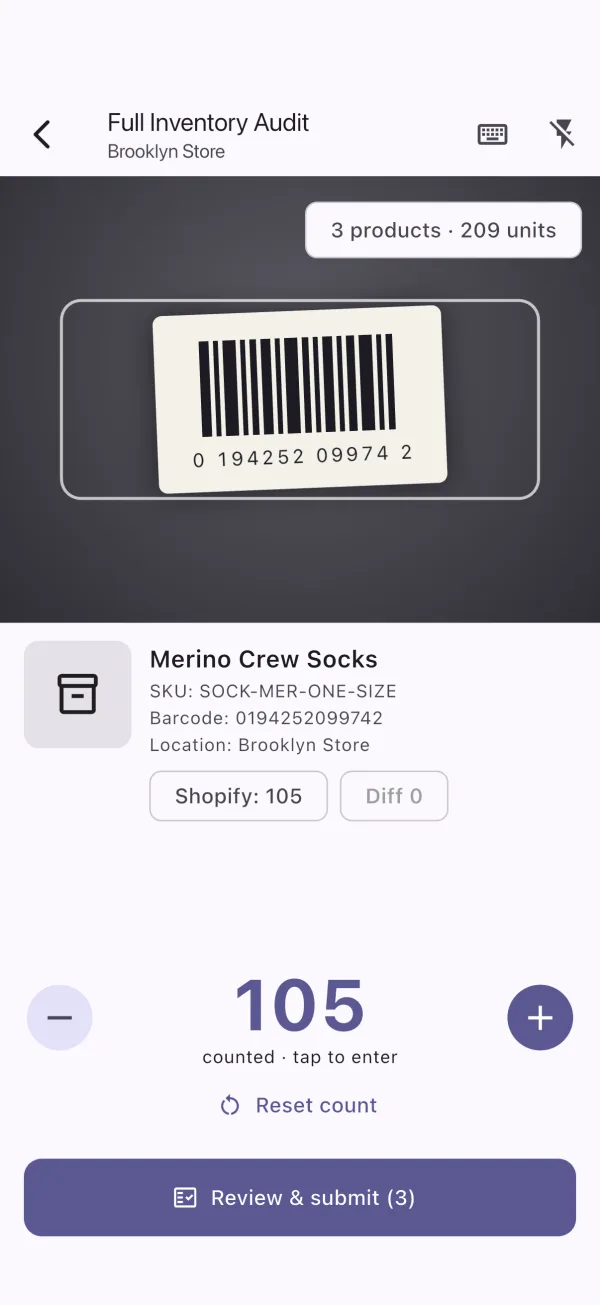
Scan & count
Scan the same item again to add one. Shopify stock and the difference update live.
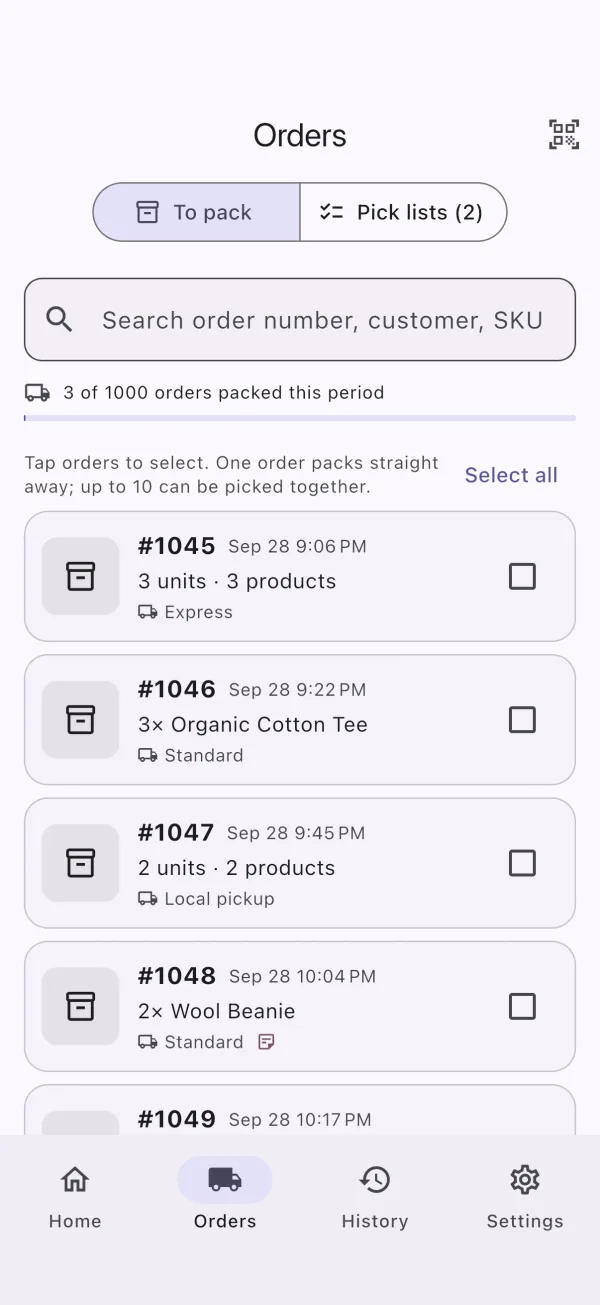
Orders to pack
Only paid orders that need shipping. Pick one, or select several to batch.
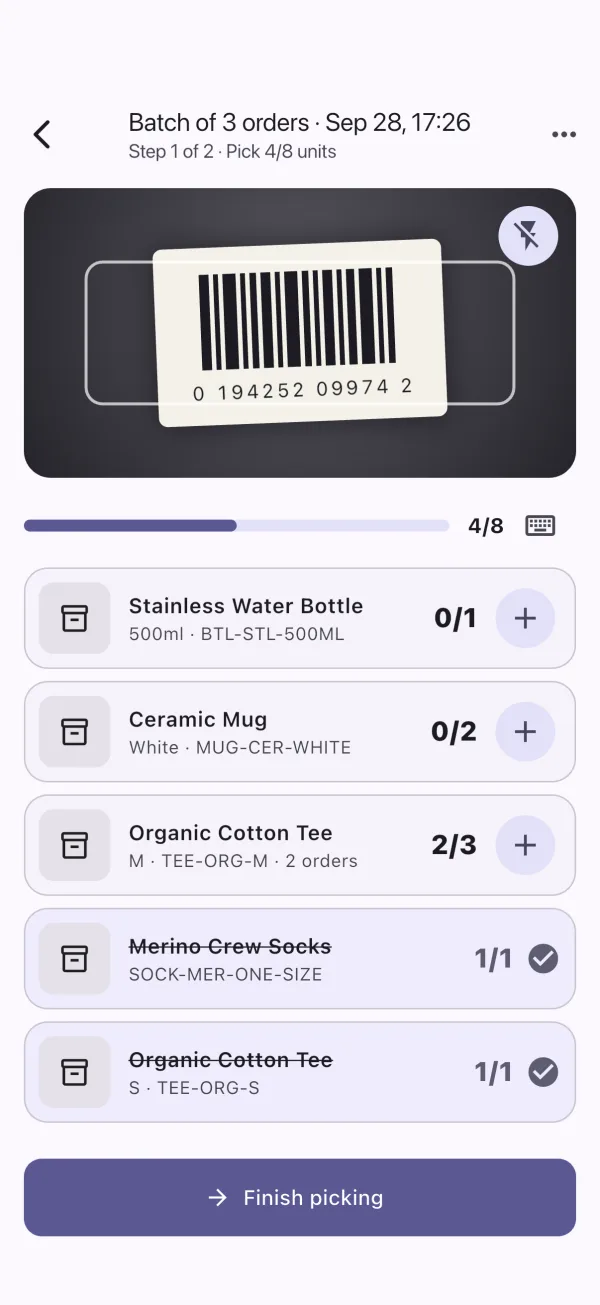
Batch picking
One combined list for every order, sorted by SKU. Scan items as you pick them.
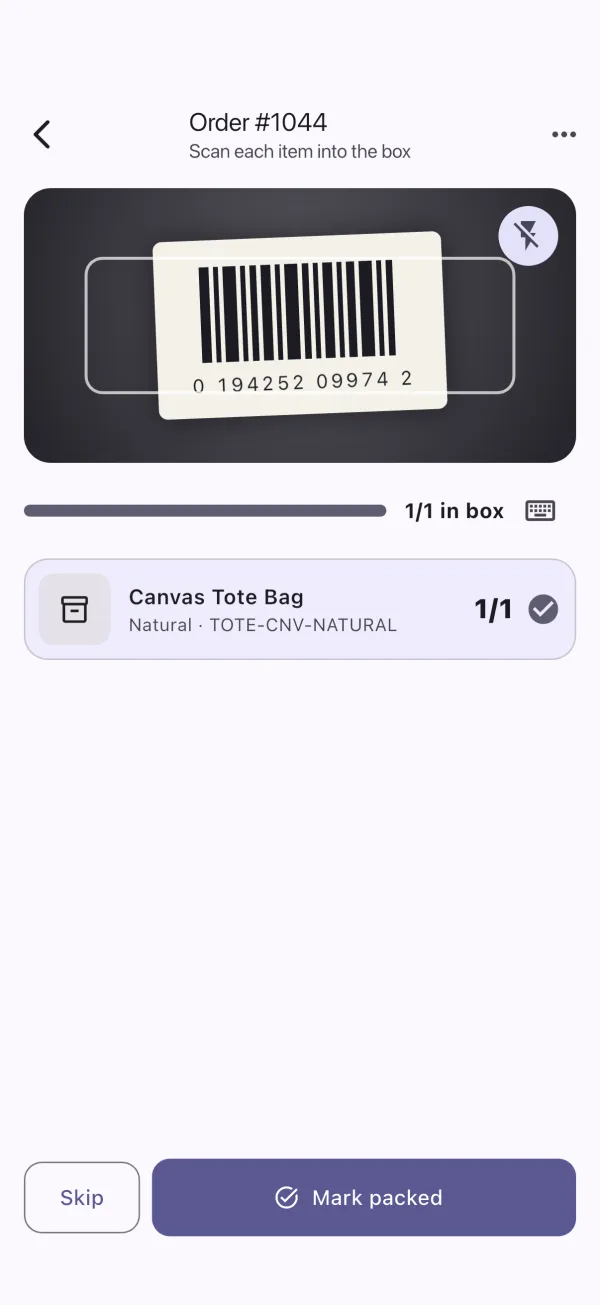
Scan-verified packing
Scan every item into the box. Wrong or extra items are flagged instantly.
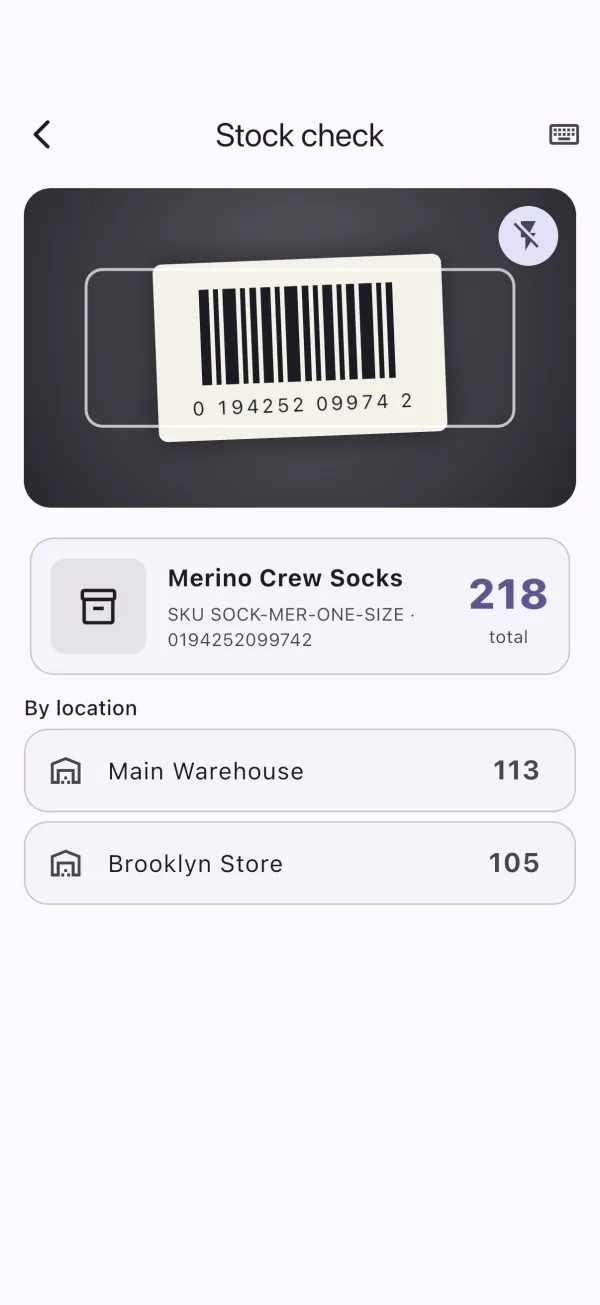
Stock check
Scan any product to see its stock at every location.
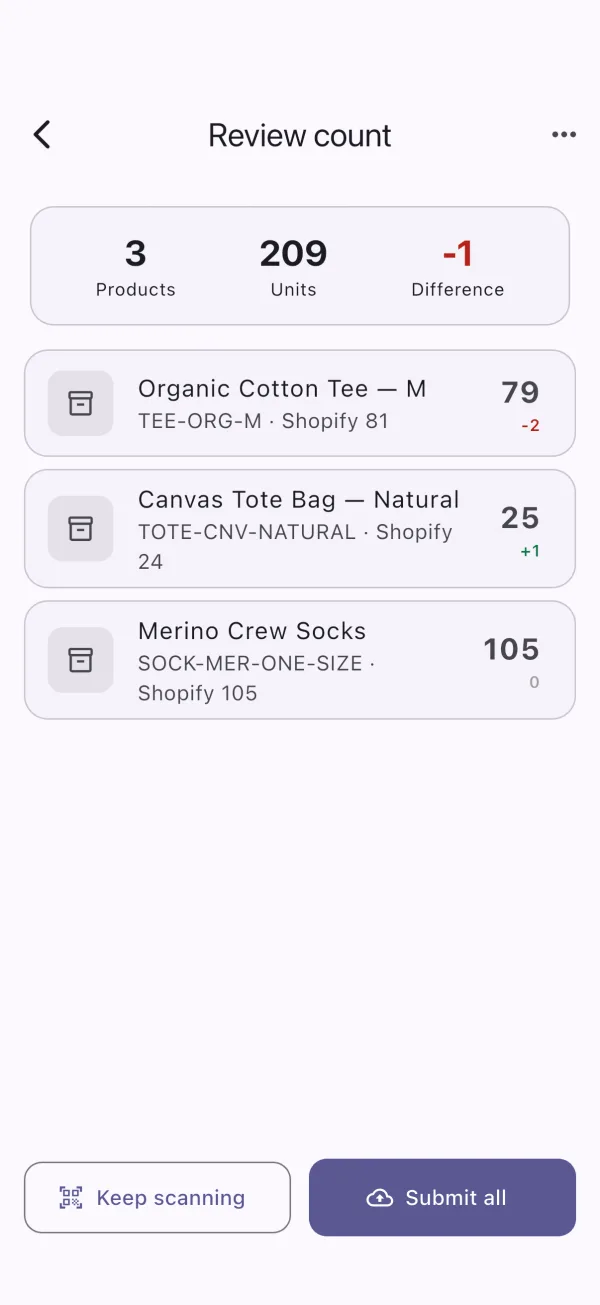
Review before submitting
Every counted product with its difference, then one tap to update Shopify.
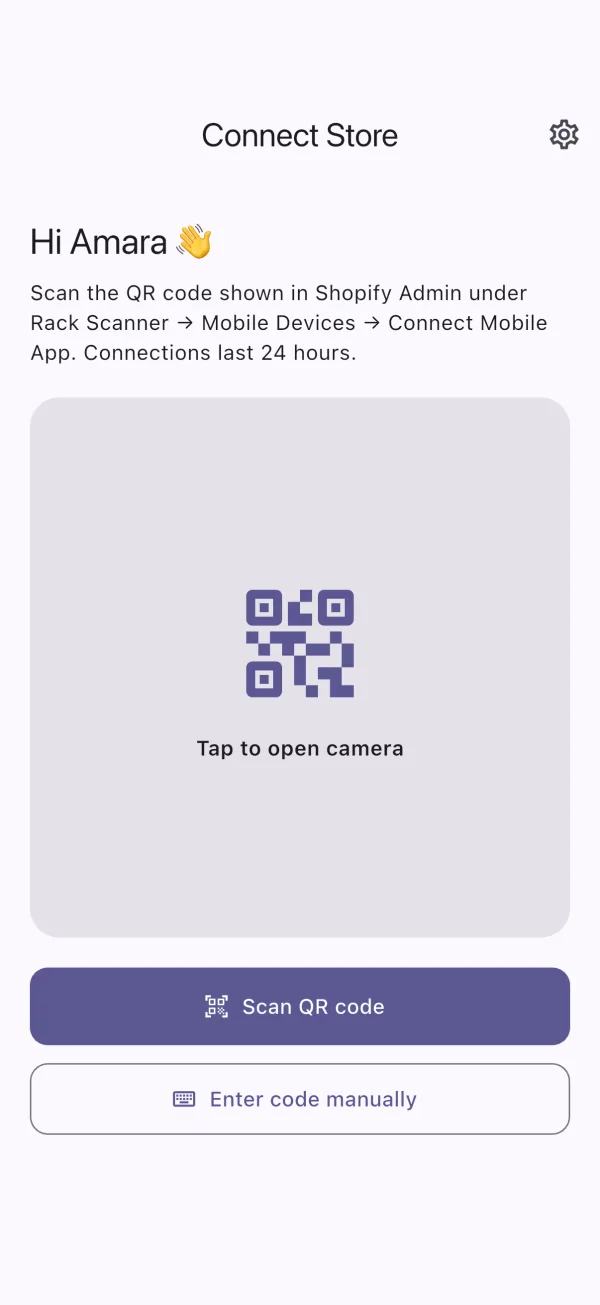
Connect with a QR code
Scan the code from Shopify Admin. Connections last 24 hours.
Three audit modes
One app for quick fixes and full audits
Single Product Count
Spot a wrong number? Scan the item, count it and update Shopify in under 30 seconds.
Full Inventory Audit
Count many products in one session, review every difference, then submit them all together.
Location Audit
Work shelf by shelf with bin labels. Items on several shelves are added up automatically.
Session · Warehouse Audit September
184
Products
6,210
Units
−37
Difference
- Organic Cotton Tee - M · A-0150 → 47
- Canvas Tote - Black · A-0212 → 12
- Ceramic Mug - Sage · B-0430 → 33
Inventory history logged as a cycle count
Control & security
You decide which phones can touch your inventory
24-hour connections
QR codes are single use. Every phone reconnects daily, so lost devices lose access automatically.
Device management
See who is connected, from which device and when. Disconnect, revoke or force logout in one click.
Full audit trail
Every count session, difference and inventory change is logged with the staff member and time.
Real-time reporting
Orders to pack, orders packed today, scans, stock changes and team activity - live in Shopify Admin.
Pricing
Simple plans that grow with you
Every plan includes inventory audits, pick & pack, both mobile apps and live Shopify sync.
Starter
For small shops getting organised
$19.99/month
- 2 mobile devices
- 1 location
- 5,000 scans / month
- 300 orders packed / month
- Single-order packing
- 500 rows per CSV import
- 30 days of history
- Quick stock count
- Full inventory audit
- Order pick & pack with packing slips
- CSV stock import & export
Growth
For busy stores shipping every day
$39.99/month
- 5 mobile devices
- 3 locations
- 20,000 scans / month
- 1,500 orders packed / month
- Batch pick up to 20 orders
- 5,000 rows per CSV import
- 1 year of history
- Everything in Starter, plus
- Shelf / location audit
- CSV exports of counts & packed orders
Pro
For multi-location teams
$79.99/month
- 15 mobile devices
- 10 locations
- 75,000 scans / month
- 5,000 orders packed / month
- Batch pick up to 50 orders
- 25,000 rows per CSV import
- Unlimited history
- Everything in Growth, plus
- Advanced analytics
Enterprise
For high-volume warehouses
$199.99/month
- Unlimited mobile devices
- Unlimited locations
- Unlimited scans
- Unlimited orders
- Batch pick up to 50 orders
- Unlimited CSV rows
- Unlimited history
- Everything in Pro, plus
- Priority support
Help center
Questions? Visit the help center.
Setup guides, answers about counting, pick & pack, devices and billing, and troubleshooting tips - all in the FleekApps help center.